The Today view
Updated on October 16, 2026
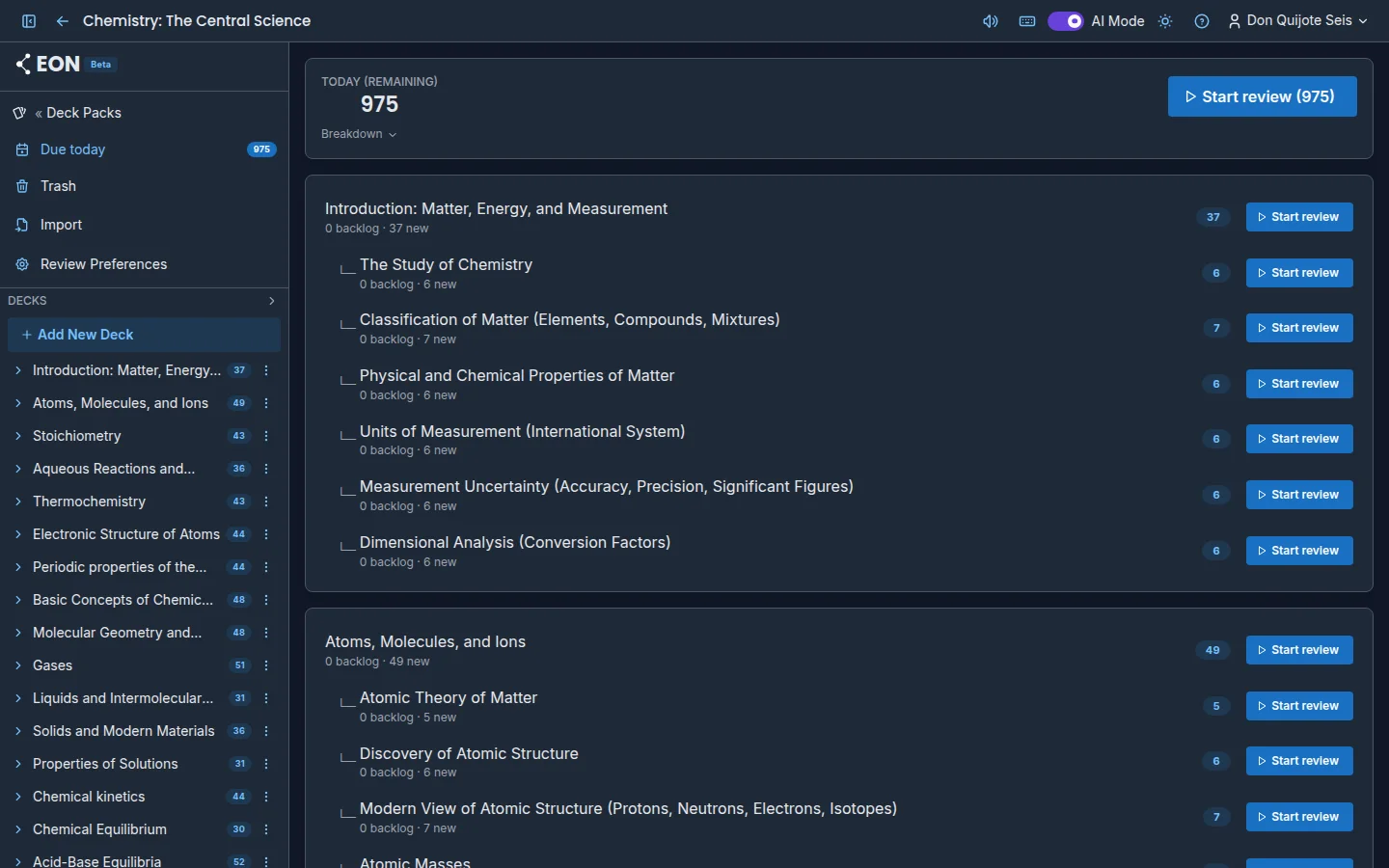
The Today view gathers what you need to study today in a pack. EON builds that plan from your planning mode, your daily limits and your exams, so you don't have to decide what to review.
To open it, go into a pack and press Due today in the sidebar. The number next to it tells you how many cards you have left.
The day's summary
At the top you'll see Today (remaining) with the cards still to go, and the Start review button, which opens the day's session for the whole pack.
Press Breakdown to see where that number comes from:
- backlog: cards that are already due and need reviewing.
- new: cards you've never studied that come in today.
- Reviewed: the ones you've already reviewed today, which are subtracted.
Study everything available
If you have more due or new cards than fit in today's plan, you'll see the Total breakdown (unadjusted) and the Study ALL button. It opens a session with every available card, ignoring your daily limit. The app asks you to confirm before starting. Use it to catch up before an exam; your upcoming dates will adjust based on how you rate.
Review a single deck
Below the summary is the deck tree with what's due in each deck. Each row shows how many cards are backlog and how many are new, and has its own Start review button, which includes subdecks. Press the deck name to open it.
Notices you may see
- Excessive backlog: appears when your overdue cards far exceed your daily limit. It tells you how many you have and how many days it would take to catch up, for example "You have 600 cards backlogged. At 50/day this takes ~12 days to recover". The Adjust limit or planning button opens the pack's preferences.
- Today is a rest day: you set today as a rest day in the calendar, so there are no cards. They'll be back on your next study day.
- Deck Pack paused: the pack is in Paused mode. Change the planning mode to study again.
- All caught up!: nothing left for now.
FAQ
Why does Today show fewer cards than are due? Because the day's plan respects your daily limit and your planning mode. The rest are spread over the following days. To see them all, use Study ALL or the Show all due mode.
Can I see today's count outside the pack? Yes. Each pack on Deck Packs shows its count, for example 12 today, and each deck in the tree carries a badge with its own.
When does a new day start? According to the timezone in your Review Preferences.
Next steps
- Review sessions: how a session works step by step.
- Planning modes: how EON decides what comes in today.
- Daily limits: how many cards you see per day.