Getting started with EON
Updated on August 5, 2026
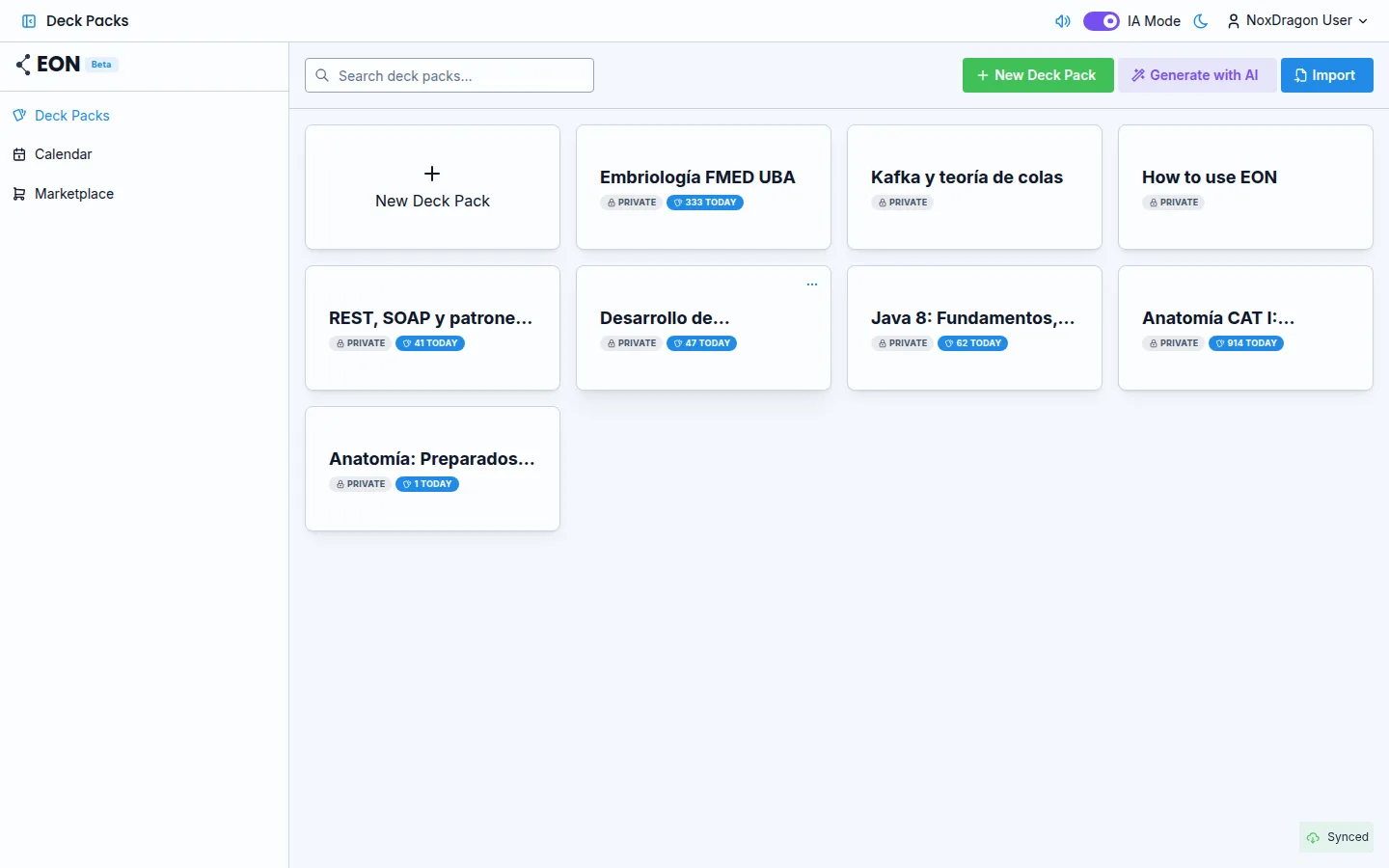
EON organizes your studying so you review each topic right before you forget it. This guide takes you from your first login to your first review session.
1. Open the app
Go to eon.noxdragon.com and sign in with your NoxDragon account. If you don't have one yet, create it from that same screen.
2. The welcome tour
The first time you sign in, EON walks you through a step-by-step tour of the essentials. Use Next to advance, Back to go back, or Skip to exit if you already know the app. The tour covers these topics in order:
- Welcome to EON — what spaced repetition is and why it works.
- Your deck packs — how to create and organize the Deck Packs where your cards live.
- Generate with AI — how to generate cards automatically from your Theca summaries (if AI is available on your plan).
- Your decks — the sidebar inside a Deck Pack where you create and organize decks.
- Add a deck — how to create a new deck to group related cards.
- Review session — how to study your due cards and rate them Forgot, Hard, Good, or Easy.
- Create and manage cards — how to add plain or diagram cards to a deck.
- Study calendar — how to schedule exams and events.
- Market — where to explore and clone deck packs shared by the community.
At the end, Get started closes the tour. You can return to the documentation at any time using the help button.
3. Create your first Deck Pack
A Deck Pack groups all the material for one subject or project. From the main view, press New Deck Pack, give it a name, and confirm. Then create a deck inside it with Add New Deck.
4. Add your first cards
Open the deck you just created and press New Card. Write the question on the front and the answer on the back. Save and repeat until you have at least a few cards.
5. Run your first review session
From the Deck Pack view, click Due today in the sidebar to see how many cards are ready. Start the session, reveal each answer with Show Answer, and rate every card. EON will automatically schedule the next review for each one.
Tip: review a little every day. Consistency matters more than the length of each session.
Frequently asked questions
Can I skip the tour and come back to it later? The tour only appears automatically on your first visit. Afterwards, you can consult this documentation any time.
How many Deck Packs can I have? It depends on your plan. The app warns you before you create one if you are about to exceed your limit. See plans and limits for details.
Can I import cards instead of creating them by hand?
Yes. EON accepts .eon files and other formats. See the importing decks guide.
What happens if I close the app in the middle of the tour? Nothing. Your data is saved and you can pick up where you left off.
Next step
- Interface tour — learn every screen in the app and how to navigate between them.
- Deck Packs and decks — learn how to structure your study material.
- Review sessions — how each study session works in detail.