Review sessions
Updated on August 5, 2026
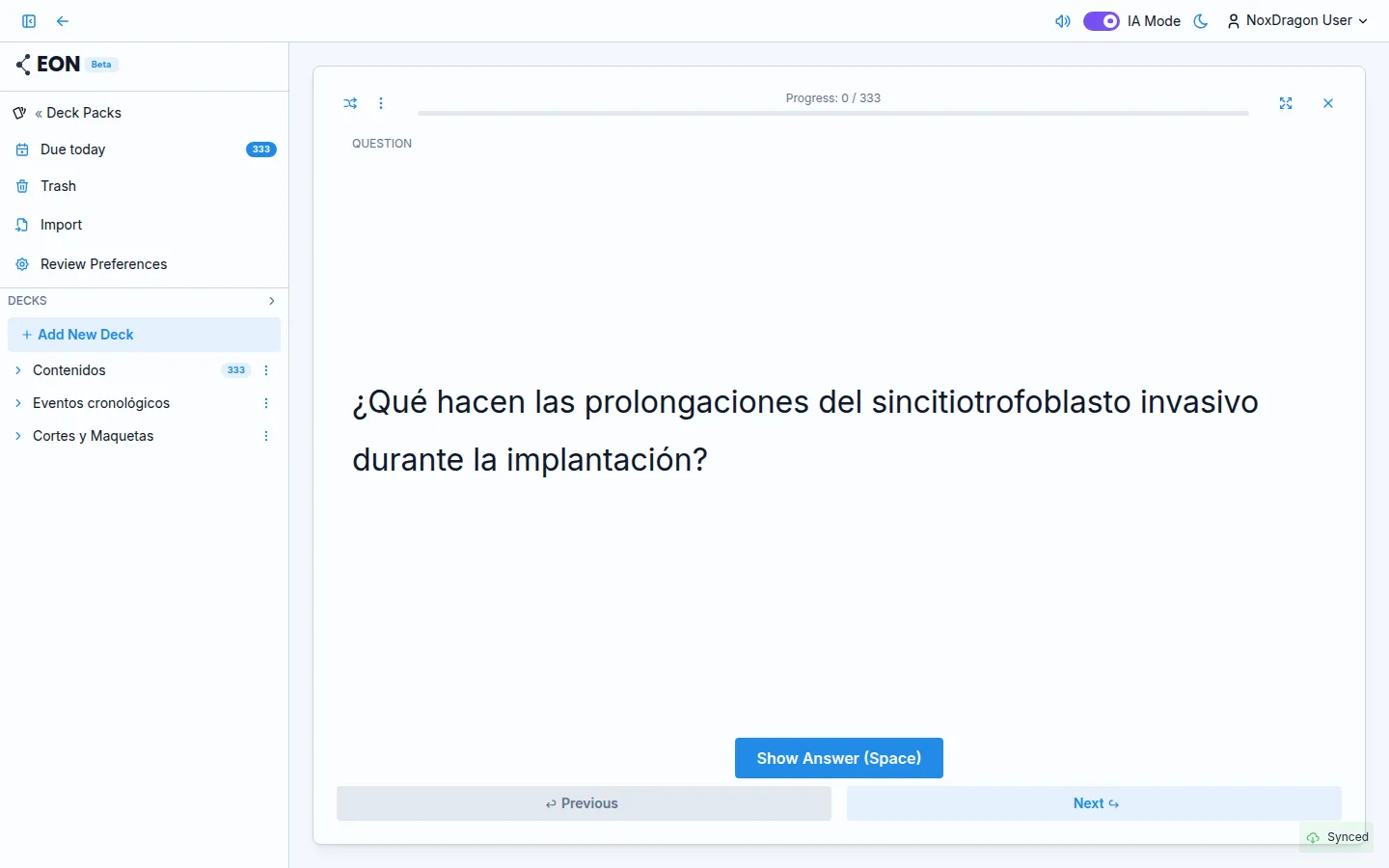
A review session is the heart of learning in EON. The idea is simple: you review each card right before you would forget it, making the memory stronger with every cycle.
1. How a session starts
From a Deck Pack, the cards that are ready to study appear as Due today. Open the session and EON shows you cards one at a time.
2. Seeing the question and revealing the answer
Each card starts by showing the question (or, for diagram cards, the image with elements hidden). When you are ready, press Show Answer to reveal the back. You can also use the Space key instead of the button.
3. Rating the card
Once you see the answer, honestly evaluate how well you remembered it. There are four options:
- Forgot — you did not remember it, or made a serious mistake.
- Hard — you remembered it, but only with effort or hesitation.
- Good — you remembered it without trouble.
- Easy — you recalled it instantly, with no effort at all.
Each rating tells the algorithm how well that card is consolidated in your memory. With Forgot, the card comes back soon; with Easy, the next review is scheduled much further in the future.
4. The progress bar
At the top of the session there is a green bar showing how many cards you have reviewed out of the total. Next to it you see the numeric counter Progress: X / Y.
5. What happens when you finish
When you review the last card, EON shows the Review Complete screen with the message Finished reviewing! You can leave with the Exit button or by pressing Space.
All next-review dates are saved automatically. The app syncs the results so that, whatever device you use tomorrow, the right cards appear at the right time.
The key to spaced repetition is honest self-rating. If you pick Easy when it was actually Hard, the algorithm will space the next review too far out and you will forget more.
Frequently asked questions
Can I go back to a previous card during a session? Yes. Use the Previous button at the bottom of the screen to go back. That does not change the rating you already gave; you can navigate freely between cards.
What happens if I close the session halfway through? The ratings you already gave are saved. The next time you open the Deck Pack, you will only see the cards you have not reviewed yet in that session.
Do diagram cards work the same way? In diagram cards, the elements of the diagram are revealed one by one with Space. Once all are revealed, the rating buttons appear.
Can I shuffle the card order? Yes. There is a shuffle button in the session header. See the review shortcuts guide for details.
Next step
- Review shortcuts — keyboard shortcuts and options for moving quickly during a session.
- The spaced repetition algorithm — how EON decides when each card comes back.
- The optimizer — how to tune the algorithm to your own memory patterns.